
Run a Dance Studio Dance moves guide
Update 1's nine new moves, how the move palette works, and why formation changes raise the bar for choreography.
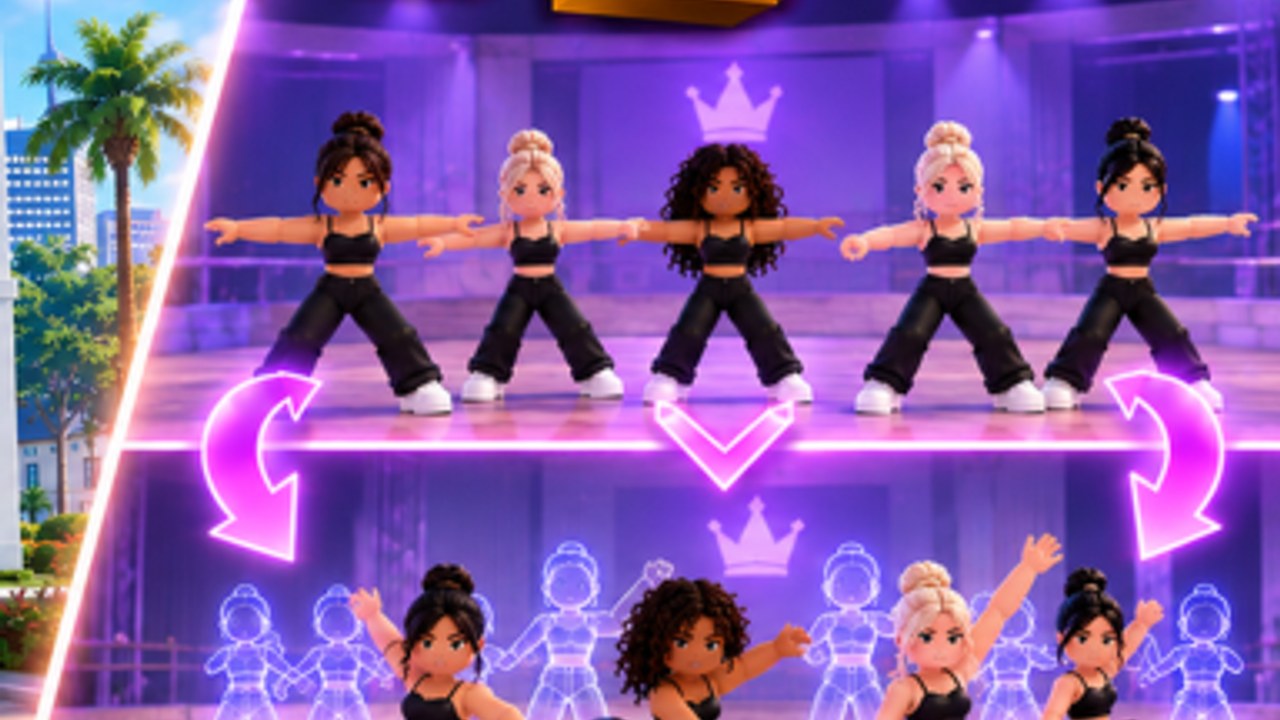
On 4 September 2026 Dance Interactive shipped nine new moves as part of Update 1, alongside the formations patch, the second story tutorial, and the Fuse/batch delete tools. This page covers the move system, how moves fit into the routine tool, and what the new moves mean for competition choreography.
What is confirmed about the new moves
The studio posted the count directly: nine new moves shipped in Update 1. They have not published a move list with names or a tier list for individual moves. What owners have reported:
- The new moves expanded the move palette available in the routine creator
- Some moves are suited for group formations, others for solo work
- The update coincided with multiple formations per dance becoming possible
Until the studio releases a move dictionary, treat each new move as a tool in the palette — the value depends on how you use it in context.
How the move palette works
The routine creator has a move selection interface:
- Open the routine tool with a saved piece
- Select a dancer or group
- Access the move palette
- Place moves along the timeline
- Arrange formation positions
Moves are placed per dancer. A group routine means placing moves for each body in the formation. The create a routine guide has the full flow.
Formation changes and move requirements
Update 1 made multiple formations in the same dance possible. Before that date, a routine had one formation picture for the duration. Now you can transition from a line to a floor picture, or from a clump to a hit.
This changes move requirements:
- A single-formation routine needs one move set
- A multi-formation routine needs move sets that work across picture changes
- Nine new moves give you more options for transitions between formations
The formations page covers the formation tool itself. This page is about the move layer that sits inside those formations.
Move quality over quantity
Owners asked how many moves a routine should have. The answer is still: enough to fill the track with confident transitions, not enough to look like a button-mash. Quality matters more than move count.
A solo with 12 well-placed moves reads better than a group with 30 poorly-timed ones. Train your dancers so the moves look clean, not just numerous.
What the new moves do not change
- The core loop (build, enrol, train, compete, open packs) is unchanged
- Awards qualification still requires 1 Solo Nationals and 1 Group Nationals
- Stats and training still drive competition scores
- The nine new moves are tools, not a separate progression track
Related pages
- Create a routine — the routine tool workflow
- Formations — how multi-formation routines work
- Train dancers — so moves look clean on trained bodies
- Competitions — how scores are judged
Nine new moves in Update 1 give choreographers more options. The skill is knowing which moves belong in which formation at which moment in the track. That is the craft layer that separates a Champion submission from a practice comp entry.
Frequently Asked Questions
Quick answers for studio owners, competitions, and currencies.
What are the nine new moves?
Dance Interactive confirmed nine new moves shipped in Update 1 on 4 September 2026 but has not published a named move list.
How do I access new moves?
Open the routine creator, select a dancer or group, and access the move palette. New moves appear alongside existing options.
Do new moves affect competition scores?
Moves themselves do not have hidden scores. Clean execution on trained dancers is what judges read.
Do I need multi-formation routines to use the new moves?
No. New moves work in single-formation routines too. Multi-formation just gives you more transition options.