
Run a Dance Studio How Dynamic Cameras work
Shipped 31 August 2026 so group routines are easier to record than a frozen lobby shot.
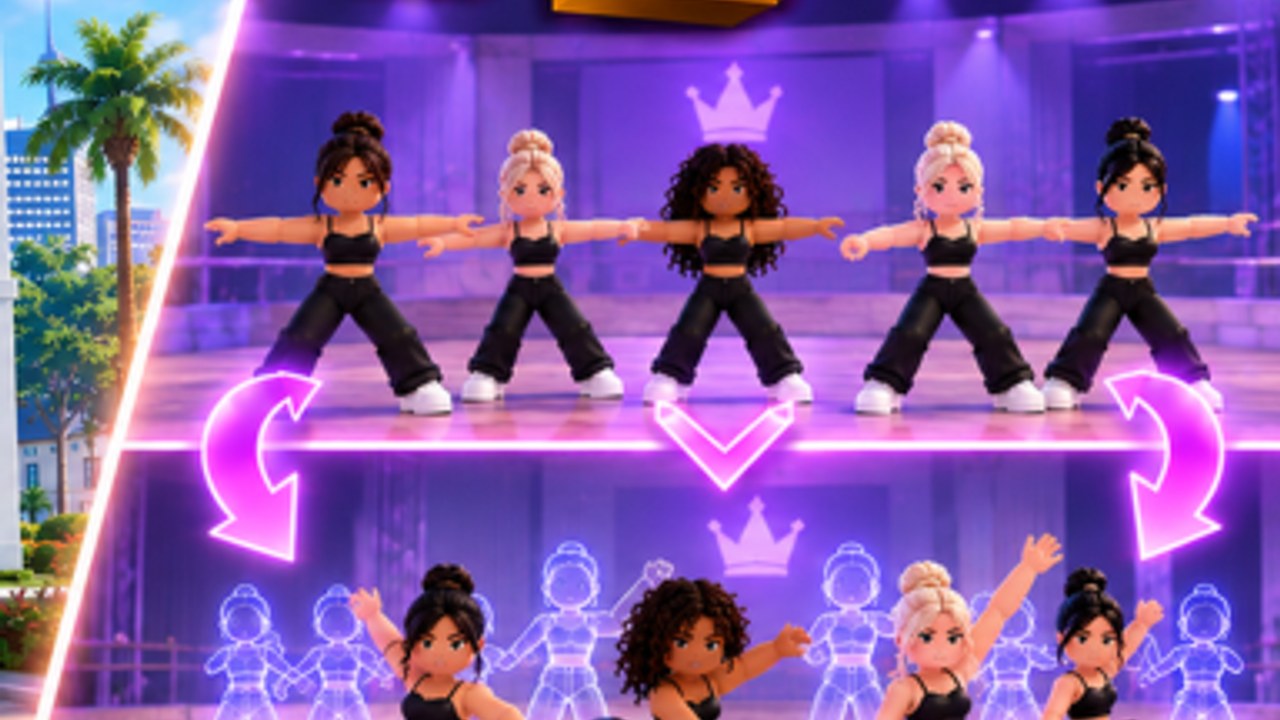
Dance Interactive’s 31 August 2026 post put a camera in the same breath as friends and quests: Dynamic Cameras — making it easier to record your group routines. That sentence is the whole patch note. This page is what that sentence means for owners who already build routines and now need a clip that actually shows the piece.
Before this tool, recording a group usually meant a locked lobby angle, a friend standing in the way, or a phone pointed at a monitor. Dynamic Cameras exist so the recording follows the dance instead of the door. Use them when you care about the picture — formation changes, Awards prep, Studio of the Month screenshots — not when you are only enrolling a slot.
What the studio actually said
The official caption does not list keybinds, a cinematic FOV slider, or a timeline editor. It says the cameras make group routines easier to record. Everything else on this page is how to use that fact without inventing a film school. If a later post adds controls, they will land here and on three live features. Until then, look for a camera or record control on the routine or stage HUD, the same way you already look for save.
This is not Roblox Studio Freecam (Shift+P). That is a platform spectator tool. Dynamic Cameras in Run a Dance Studio are an in-experience feature aimed at your choreography, especially groups.
Why groups, not only solos
A solo can survive a static camera. A group cannot. The 4 September formations update lets you put multiple pictures in one dance. A locked wide shot turns those pictures into a blur. A camera that can move with the line is how you check:
- Whether the second formation actually reads
- Whether someone is covering the featured dancer
- Whether the floor hit lands on the music you picked
- Whether costumes even show at stage distance
Record the group you will take to Nationals, not a lobby pose. Awards packing lists already say perfect your routines. A clip is how you see the piece the judges will see.
When to turn the camera on
- After you add a formation change, before you call the routine “done”
- When a friend is in the same competition group (the other 31 August feature) and you want a shared recap
- When you are chasing a readable Studio of the Month or leaderboard screenshot
- When a Quest tab task wants you to engage with a routine and a clip is the proof you keep for yourself
Do not stall enrolment Cash to film a lobby. Earn cash and gems still pays the building. Cameras are a choreography tool, not a second job.
How recording fits the routine flow
Official carousel: choose dancers, choose music, build formations, add moves, save, compete. Dynamic Cameras slot in after save and before you trust the piece in a judged lobby.
- Save the routine so the recording is of the version you will submit.
- Open the camera / record control on the stage or routine UI.
- Play the group once without touching the HUD, the way a judge would watch.
- If the second formation dies in the wide shot, fix the picture, not the wallpaper.
- Re-save. Then submit a regular competition before you spend a Roblox Awards slot on an untested clip.
Costumes still matter for the recording. Guest-judge marketing (Shannon Atkins and whoever is billed next) is flavor; the camera is how you see whether the costume even reads. Pack order stays on the tier list.
Friends in the same shot
The same patch groups Roblox friends who enter the same competition. That is a scoring-instance feature, but it also means you may finally be in the room with the people you choreograph with. Record the group while they are actually loaded in. A clip of five bots is not the same as a clip of the friends the new grouping just put beside you. Details on competitions.
What Dynamic Cameras are not
- Not a replacement for formations. A pretty camera on a single clump is still a single clump.
- Not a Gamepass we have seen named. The Routine Creator pass is still about save slots up to 10, not about film gear.
- Not an excuse to inject a script that “auto-records highlights.” No dedicated loader exists for this game.
- Not a YouTube download. The only confirmed teaser we embed is on the homepage. We will not paste an RH Dance Studio tutorial ID here.
Practical checklist
- Filter-safe studio name so the overlay on the recording is readable — getting started.
- Group core trained, not five under-level friends in matching outfits — train dancers.
- At least one formation change in the piece you are filming.
- A track you can live with (song-swap-without-re-record is still a request, not a confirmed tool).
- One recording of the submit version, not twenty takes of a lobby emote.
If the camera control is missing, rejoin a fresh server the same way owners did for the Gamepass. If it is still missing after a documented patch, say so in a comment on @runadancestudio rather than downloading a “camera GUI” from a random Discord.
Dynamic Cameras exist because group dance is the product. Use them to see the pictures you already built, then take that version to comps. Pair this page with create a routine and the three live features notes so you are not filming last week’s game.
Frequently Asked Questions
Quick answers for studio owners, competitions, and currencies.
What are Dynamic Cameras?
A 31 August 2026 feature that makes group routines easier to record. Official post plus this guide.
Is this Roblox Freecam?
No. Freecam is a platform spectator tool. Dynamic Cameras are in-experience and aimed at your choreography.
Do I need them for Awards?
Not as a listed rule. They help you check formation changes before you spend a slot — competitions.
Where is the record button?
Look on the routine or stage HUD. The studio did not publish a keybind. Rejoin if a fresh server is hiding it.