
Getting started in Run a Dance Studio
First hour: rooms, enrolment, a saved routine, and a competition entry.
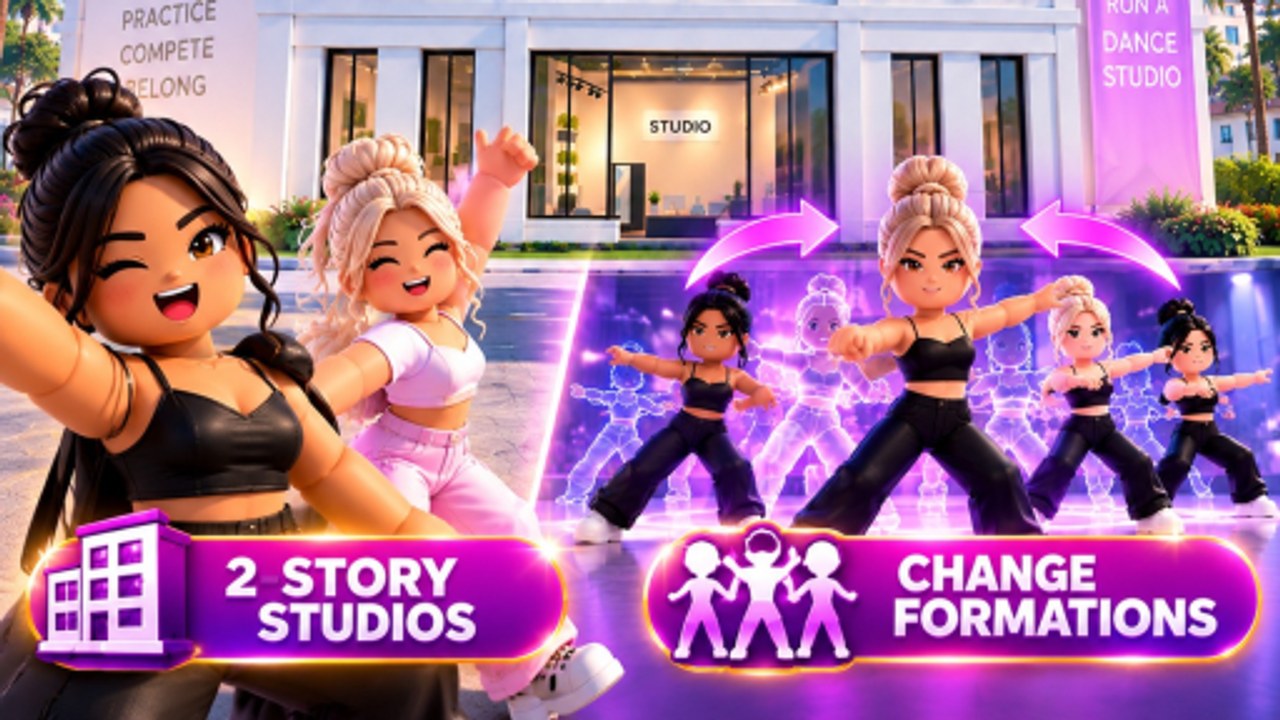
Run a Dance Studio is Dance Interactive’s Roblox sim where you own the building, the roster, and the choreography. It launched in the last week of August 2026. This page is the first-hour path so you do not spend Gems before Cash is even moving.
Join the right experience
Search Run a Dance Studio and open the listing by Dance Interactive, or use the official Roblox link. Place ID 129244982349741. Favorites help you find it again after the algorithm buries new sims. Servers cap at 10 players. You still share competitions with every other server — that design is covered in competitions.
Name the studio like it will be read on a scoreboard
Owners already reported studio names rendering as hashtags at comps. That is Roblox text filter, not a random bug. Use a short, clean name. Avoid stacked symbols, joke spellings, and anything that looks like a URL. You will see that name next to ELO. If you need a reset later, that is a separate owner question the studio has not fully documented — do not wipe a live roster until you know what reset actually deletes.
The loop Dance Interactive posted
On launch week the official account reduced the game to five verbs:
- Build and expand the studio.
- Enrol dancers so Cash starts.
- Train them with teachers to raise stats.
- Enter competitions for Cash and Gems.
- Open packs with Gems for dancers, songs, costumes, and teachers.
The same post said the bigger you build, the more you can earn. That is why build your studio is not decoration. Rooms are capacity. Capacity is enrolment. Enrolment is Cash.
First 20 minutes
Walk the floor. Find BUILD and the DESIGN branch (floors, walls, colors, materials, signage). Make the lobby readable: a floor that is not black-on-black, a sign you can still parse at competition cameras. Then enrol every dancer slot you can afford. Empty rooms do not pay.
You do not need the Routine Creator Gamepass to exist. The Gamepass raises saved routine slots up to 10 for 799 Robux. Launch comments asked if creating a studio costs Robux — the experience itself is free-to-play. Other live passes (2x Cash, VIP, Auto-Collect, Studio Designer, Costume Designer) are optional; prices and order of buy sit on the Gamepasses tool. Servers needed a bit of time to show Routine Creator after it went live; if a pass is missing, rejoin before you assume it is region-locked.
First routine, not a perfect one
Open the routine flow: pick dancers, pick music (the studio advertised 20+ unlockable tracks), place a formation, add moves. Save something that can enter a solo path and something that can enter a group path. Awards qualification later needs one Solo Nationals and one Group Nationals. Details live in create a routine and Roblox Awards.
Do not wait for a “perfect” song. Owners already asked to swap songs without re-recording. Until that tool exists, pick a track you can live with.
Train before you pack-gamble
Teachers exist so stats move without opening another pack. Put a teacher on your intended soloist first. If you pull duplicate dancers, owners are already asking how to merge duplicates to increase points — so duplicates are a feature, not only clutter. See train dancers.
Quest tab and cameras (after 31 August)
Three days after launch, Dance Interactive shipped a Quest tab that pays Gems, Dynamic Cameras for recording group routines, and grouping for Roblox friends in the same competition. Open the Quest tab before you spend the first Gem pack — quests. Record the first group before you call it finished — Dynamic Cameras. Friend the owners you actually play with before Nationals night — competitions. Patch notes: three live features.
First competition
Enter a regular competition once a routine exists. You are practicing the submit flow and collecting the Cash/Gem mix. You are not trying to take Champion on day one. The weekly Awards lobby fills fast (24 entrants per server) and you will not qualify without those Nationals marks.
Controls and platforms
The listing is a standard Roblox R15 sim: move, jump, interact with studio GUIs. Playable on PC, mobile, and console through Roblox. There is no published custom keybind overlay. If a button is hiding on mobile, rotate to landscape — several dance-sim UIs assume a wide HUD. Camera during choreography is part of the routine tool, not a separate “photo mode” product.
What not to do in hour one
- Do not ignore codes forever, but do not stall the loop waiting for a promo that is not live.
- Do not inject a script from a different dance game.
- Do not spend every Gem on costumes before teachers.
- Do not copy a filtered studio name and then wonder why the board shows hashes.
When hour one is done, you should have: a filter-safe name, at least one expanded room, enrolled dancers generating Cash, a saved routine, and a competition entry. Next reads: earn cash and gems and the dancer tier list.
Frequently Asked Questions
Quick answers for studio owners, competitions, and currencies.
Is Run a Dance Studio free?
Yes, it is a free Roblox experience. Gamepasses such as Routine Creator are optional.
Why is my studio name hashtags at comps?
Text filter. Use a short clean name. More naming notes in this guide and top studios.
Do I need Robux to create routines?
No for the first saves. The Gamepass adds slots up to 10. See create a routine.
What should I do after the first hour?
Read earn cash and gems, then train dancers before opening packs.
How do I reset my studio?
The studio has not posted a safe reset how-to. Do not wipe a live roster to fix a name or wallpaper — rename or use BUILD → DESIGN instead.