
Run a Dance Studio How to create a routine
Official carousel steps, plus formations, Gamepass slots, and Awards prep.
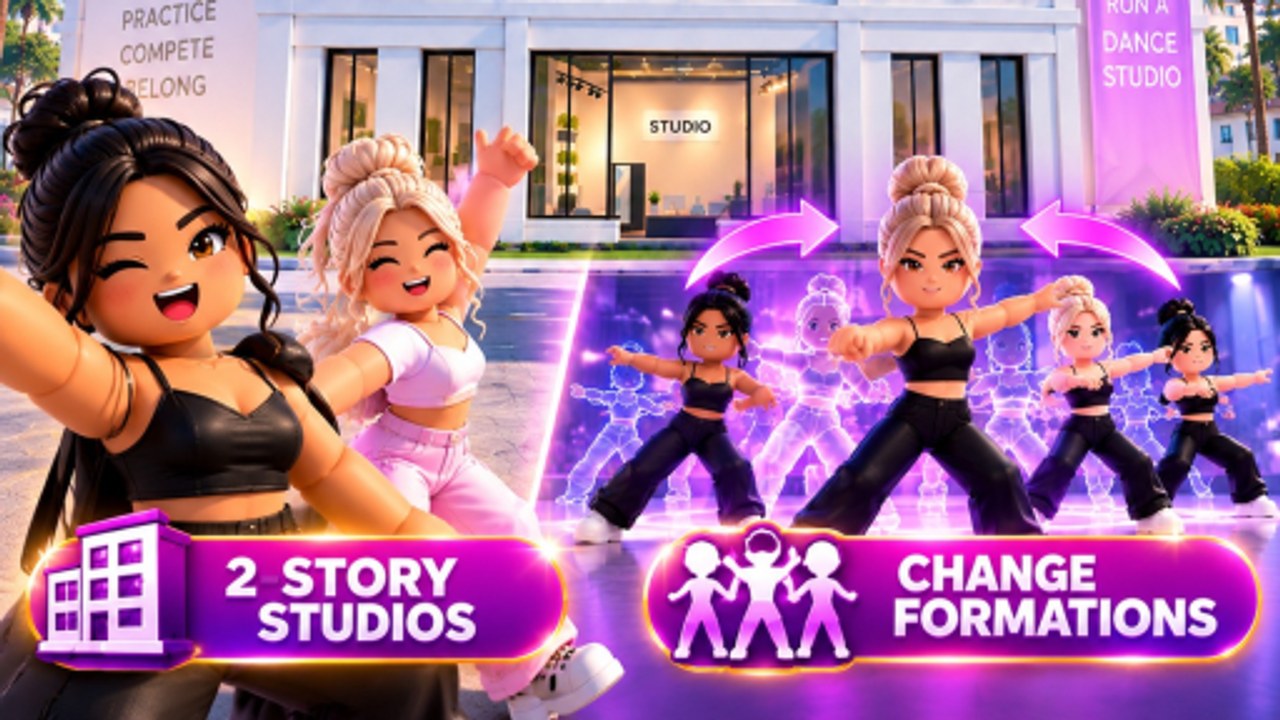
Dance Interactive posted a full how to create a routine carousel the week before launch. The steps are still the spine of choreography in Run a Dance Studio: choose dancers, choose music, build formations, add moves, save, take it to competition. This page is that flow with everything they added after — multiple formations in one dance, a Gamepass that raises save slots, and Awards categories that now care about contemporary and lyrical.
Why routines are the product
Enrolment makes Cash. Teachers make stats. Routines are what judges see. A stacked roster with no saved piece cannot enter Nationals, cannot qualify for Roblox Awards, and cannot show ELO growth. Treat choreography as a weekly craft, not a one-time tutorial popup.
You will want two live pieces as soon as you can: a solo and a group. Qualification for Awards is explicit: compete in 1 Solo Nationals + 1 Group Nationals first. If you only love solos, you still need a group mark. If you only love large groups, you still need a soloist.
Step 1 — Choose dancers
Pick bodies that match the piece. A lyrical solo wants your highest-trained individual, not five under-level friends standing in a clump. A group wants a clean silhouette and enough people to sell a formation change. Featured real dancers (asha, lilkira) exist in the roster as launch marketing — they are not automatically your best stats. Train whoever you actually send. See the dancer tier list and train dancers.
If you have duplicates, Update 1 added Fuse duplicate dancers and Batch delete common dancers. Fuse before you choreograph so the body you pick is the fused one. Details on train dancers.
Step 2 — Choose music
Official TikTok Q&A said yes, there is music, with 20+ unlockable tracks. Tracks come through gameplay and Gem packs, not through pasting a random Roblox audio ID. Pick a song that matches the Awards category you care about. Contemporary Open already has a clock on the Awards graphic. Lyrical was called out in pre-launch posts. If you cannot change a song without re-recording (a requested feature, not a confirmed tool), pick carefully.
Step 3 — Build formations
At launch, owners asked whether formation changes would exist. On 4 September 2026 the studio answered: you can create multiple formations within the same dance. Official Update 1 art shows a line changing into a floor hit, with ghost silhouettes for the next picture. Use at least one change in anything you plan to take to Awards. A static clump reads as unfinished now that the tool is live. More on the formations update and routine styles.
Step 4 — Add moves
Moves are the phrase work between pictures. Update 1 added nine new dance moves on 4 September 2026 — check the move list again if you saved before that patch. You do not need a 90-second epic for your first save. You need a beginning, a change, and an ending that matches the music. Save early. The Gamepass is about how many routines you can keep, not about whether moves exist. Live Robux prices for Routine Creator and the other passes sit on the Gamepasses tool.
Routine Creator Gamepass
Launch-week post: unlock up to 10 routines with the Routine Creator Gamepass. Comments asked if creating a studio costs Robux. The experience is free. The pass is optional slot expansion. Official reply noted the Gamepass could take time to appear on servers after going live — rejoin if the prompt is missing. Do not buy it until you actually have more than a couple of pieces worth saving. Two good routines beat ten empty slots.
Dynamic Cameras for group recording
The 31 August drop added Dynamic Cameras — making it easier to record your group routines. Use them after you save, especially once formations let you put two pictures in one dance. A locked lobby shot will not tell you whether the second picture reads. Walkthrough: Dynamic Cameras. The same post grouped Roblox friends who enter the same competition, so you can record the people you actually load in with — competitions.
Save, costume, compete
Costumes are a pack drop and a presentation layer. Judges in this fantasy are literally billed with guest names like Shannon Atkins — dress the piece. Then enter a regular competition before you touch the weekly Awards lobby. The submit flow is part of the skill. Full event rules: competitions.
Common failures
- One formation after Update 1 — you will look dated next to studios using changes.
- Solo only — you cannot qualify for Awards.
- Untrained dancers in a pretty costume — stats still matter; see earn cash and gems so teachers stay paid.
- Re-recording for a song swap — wait for a tool or accept the track.
- Filtered studio name on the score overlay — fix the name in getting started.
Choreography is the content owners will screenshot. Build the studio so the Cash can fund the next piece, then come back to this page every time Dance Interactive adds a formation trick or a new track pack.
Frequently Asked Questions
Quick answers for studio owners, competitions, and currencies.
How do I create a routine?
Choose dancers, choose music, set formations, add moves, save. Official carousel plus the steps on this page.
Can I change formations mid-dance?
Yes, as of 4 September 2026. See the formations update.
How do I record a group routine?
Use Dynamic Cameras, shipped 31 August 2026. Guide: Dynamic Cameras.
What does the Routine Creator Gamepass do?
Raises saved routine slots up to 10. Not required to choreograph the first pieces.
Do I need both solo and group routines?
Yes if you want Roblox Awards. Qualification needs both Nationals types.